Apple has officially rolled out iOS 26.4, following closely on the heels of the recent iOS 26.3.1 (a) security patch. While the previous update focused on fixing critical vulnerabilities in WebKit, iOS 26.4 is a feature-rich release designed to enhance user experience across media, music, and accessibility.
Users can update their devices immediately by navigating to Settings > General > Software Update.
🎵 Revolutionizing the Apple Music Experience
The most significant changes in this update target Apple Music subscribers, moving the app toward a more personalized, AI-driven, and discovery-oriented platform.
AI-Powered Curation: Playlist Playground
Apple has introduced Playlist Playground, a new beta feature that allows users to generate custom playlists using natural language. By simply describing a mood or genre, the tool creates a complete package, including a title, tracklist, and description.
Note: As this is in beta, results may occasionally be unexpected, but it represents a major step toward AI-integrated music management.
Live Discovery: The Concerts Feature
To bridge the gap between digital listening and live experiences, the new Concerts tool helps users find local shows. By analyzing your library and listening habits, the app recommends upcoming performances from artists you love and suggests new acts, complete with ticket links and event details.
Improved Accessibility and Convenience
- Ambient Music Widgets: Users can now add Home Screen widgets for “Ambient Music” playlists (Sleep, Chill, Productivity, and Wellbeing), making it easier to set a mood without digging through menus.
- Offline Shazam Support: If you use Shazam via the Control Center while offline, the app will now “remember” the song and automatically deliver the identification results as soon as you reconnect to the internet.
- Immersive Visuals: Album and playlist pages now feature full-screen backgrounds for a more cinematic feel.
📺 Enhanced Media and Visual Customization
iOS 26.4 brings much-needed flexibility to how users consume video and manage their device’s visual aesthetics.
Video Podcasts in Apple Podcasts
The Podcasts app is no longer limited to audio. Users can now view video podcasts by tapping the video player icon on the title card or selecting “Turn Video On” within the media player. This brings the podcast experience closer to platforms like YouTube.
Customizable Captions
For better accessibility during group viewing, Apple has added more control over subtitle styles. While watching content in apps like Apple TV, users can now toggle between:
– Classic (Default)
– Large Text
– Outline Text
– Transparent Background
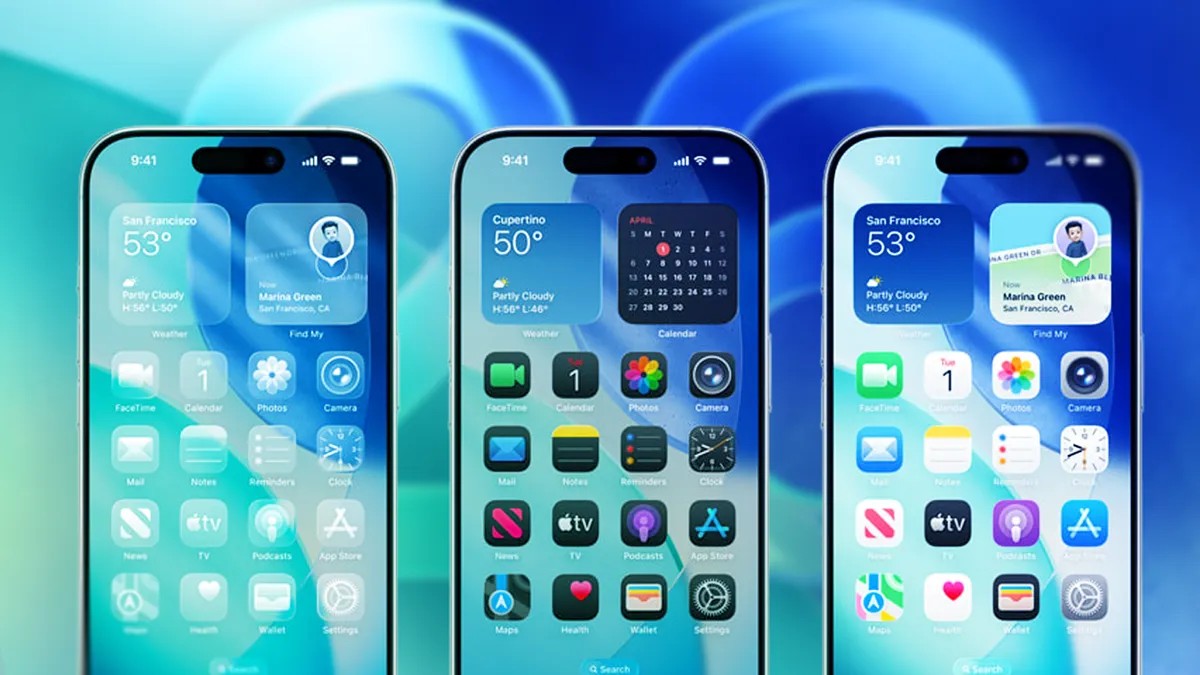
Managing “Liquid Glass” and Wallpapers
Apple has introduced more ways to reduce visual distractions and manage storage:
– Reduce Bright Effects: Located under Settings > Accessibility > Display & Text Size, this new toggle minimizes flashing or highlighting when interacting with buttons and the keyboard.
– Wallpaper Collection Management: Users can now more easily download or remove specific wallpaper “Collections” (like Weather or Astronomy) to save device storage.
👨👩👧👦 Smarter Family Sharing and System Updates
Beyond entertainment, the update addresses practical household management and system-wide refinements.
Financial Independence in Family Sharing
In a significant shift for household management, adult members in a Family Sharing group can now use their own payment methods for purchases. This removes the need for every transaction to go through the family organizer, eliminating the administrative headache of reimbursing family members for individual apps, movies, or games.
New Emoji and System Refinements
The update also includes:
– Eight New Emojis: Following the Unicode 17.0 standard, new icons include an Orca, Landslide, Trombone, Fight Cloud, Distorted Face, Ballet Dancers, Treasure Chest, and a Sasquatch.
– Improved Keyboard Accuracy: Enhancements to typing speed and precision.
– Freeform Upgrades: New image editing tools and a premium content library.
– AirPods Max 2 Support: Full compatibility for Apple’s latest high-end headphones.
Summary: iOS 26.4 transforms the iPhone into a more proactive assistant by integrating AI-driven music curation, offering greater financial autonomy within families, and providing deeper customization for media and accessibility.