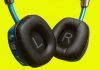
Modern headphones deliver impressive sound quality at increasingly affordable prices. However, prolonged use can trigger headaches in some users, especially gamers and professionals working long hours. These headaches typically stem from pressure, weight, heat, or combinations of factors — but they aren’t inevitable. Here are six proven adjustments to make your headset sessions headache-free.
1. Choose the Right Headphone Style: Over-Ear or Open-Ear
On-ear headphones, while lighter and often cheaper, can cause pressure-related headaches due to their gripping design and minimal padding. Models like the Sony WH-CH520 or Beats Solo 4 exemplify this issue, particularly for those wearing glasses.
The solution is often over-ear headphones, which distribute pressure more evenly with larger, cushioned earcups. Alternatively, consider open-ear headphones (like those from Shockz) using bone conduction technology to bypass ear fatigue altogether. While audio quality may differ, they eliminate direct pressure on the ears.
2. Upgrade Ear Cup Materials for Enhanced Comfort
If you prefer over-ear headphones, the ear cup material matters. Basic foam padding can lead to discomfort. Switching to thick memory foam, velour, or suede provides superior cushioning and breathability.
If overheating is an issue, consider mesh fabric covers. Many brands offer replacement ear cups; otherwise, affordable aftermarket options can improve comfort for around $10.
3. Fine-Tune Headband Tension and Adjustments
Headband tightness directly impacts head pressure. Too tight, it causes discomfort; too loose, and the headphones feel unstable. Adjustable headbands are crucial for finding the right balance.
Even standard headsets (like the SteelSeries Arctis Nova 5, weighing nearly 10 ounces) benefit from proper tension. Distribute weight by loosening the headband slightly while maintaining a secure fit. Some heavier models (like the AirPods Max at 13.6 ounces) distribute weight well, but lighter options are generally preferable.
4. Lower Volume to Prevent Sound-Induced Headaches
High volume isn’t just harmful to hearing; it can trigger headaches. Keep volume below 85 decibels — a recommendation from brands like Turtle Beach — to minimize strain.
Adjust audio settings within your headphone app to emphasize desired sounds without cranking up the overall volume. If you typically listen at high levels, switch to quieter music (like lo-fi) to give your ears a break. Some headsets include built-in volume limiters for added protection.
5. Reduce Screen Brightness and Enable Blue Light Filters
Headphone pressure isn’t the only headache trigger. Prolonged screen exposure, especially in dark environments, contributes to eye strain. Lower screen brightness and enable blue light filters to reduce strain.
For glasses wearers, blue light-blocking lenses offer continuous protection. Pair these with over-ear or open-ear headphones for optimal comfort.
6. Disable Active Noise Cancellation If It Causes Discomfort
Active noise cancellation (ANC), while effective, can trigger headaches in some users due to pressure changes or internal sound manipulation. If you experience dizziness or discomfort with ANC-equipped headphones (like Bose QuietComfort or AirPods Max), disable the feature.
Stick with passive noise cancellation instead, which relies on physical insulation rather than active sound cancellation.
The key to headache-free headset use isn’t necessarily expensive gear, but thoughtful adjustments. By optimizing headphone style, materials, settings, and environment, you can enjoy long listening sessions without the pain.