Daemon Tools Lite has held its ground for years. It is the go-to reference for disk image management. It creates virtual CD, DVD, or Blu-ray drives. This removes the need for physical hardware. You can mount ISO files. You can also mount CUE, BIN, or MDS formats. It handles archived content and protected materials without hassle. Students love it. IT professionals rely on it. Retro-gamers depend on it. It keeps hardware clutter at bay.
Why use Daemon Tools Lite for virtual drive emulation?
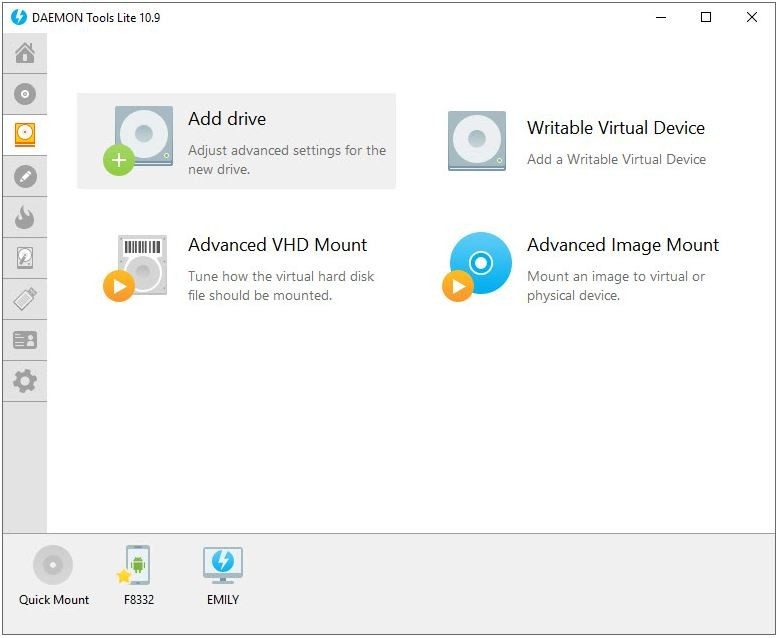
The software adapts to changing OS landscapes. It works on Windows 7 through Windows 11. There is a macOS version too. This versatility helps users in mixed environments. You can transfer content easily across platforms. The interface is clean. It guides you whether you are mounting a file or organizing a library. It feels like a real disk.
Security features are built-in. You can create images from physical media. You can package files securely. Password-protected archives are supported. The software stays lightweight. It does not bog down your system. It handles frequent or heavy usage with stability.
How to download and install Daemon Tools Lite safely
Getting the software is straightforward. You do not need technical expertise. Always get it from a trusted source. Unofficial sites risk altered versions. Bloatware sneaks in through shady downloads. Verify compatibility with your OS first.
The installation process is intuitive. The wizard guides you step-by-step. Accept the license. Configure your virtual drives. You can choose optional modules. These include image burning tools. They also cover protected device emulation.
Be careful during setup. Read every screen. Free versions sometimes push promotional software. Skip the unwanted add-ons. Once installed, it integrates with your system. Right-click options appear in File Explorer. Managing disk images becomes routine.
Mounting images and managing your library
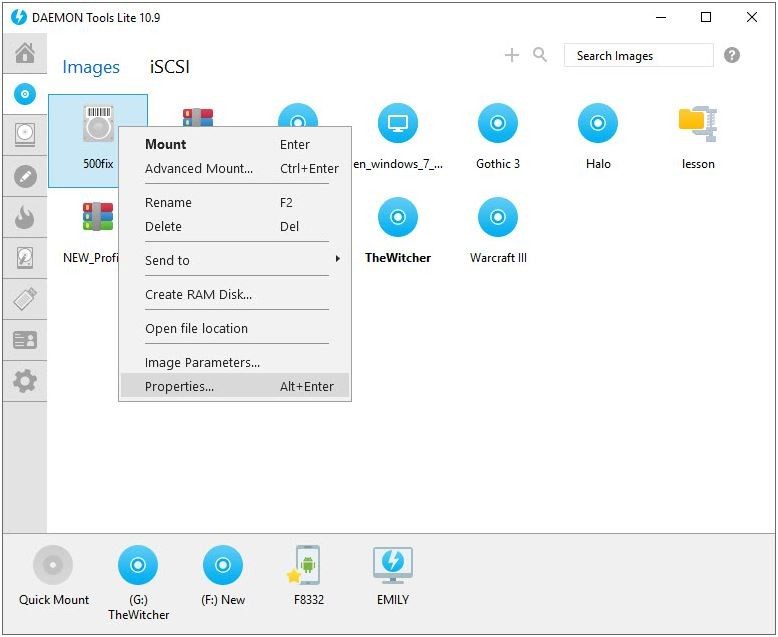
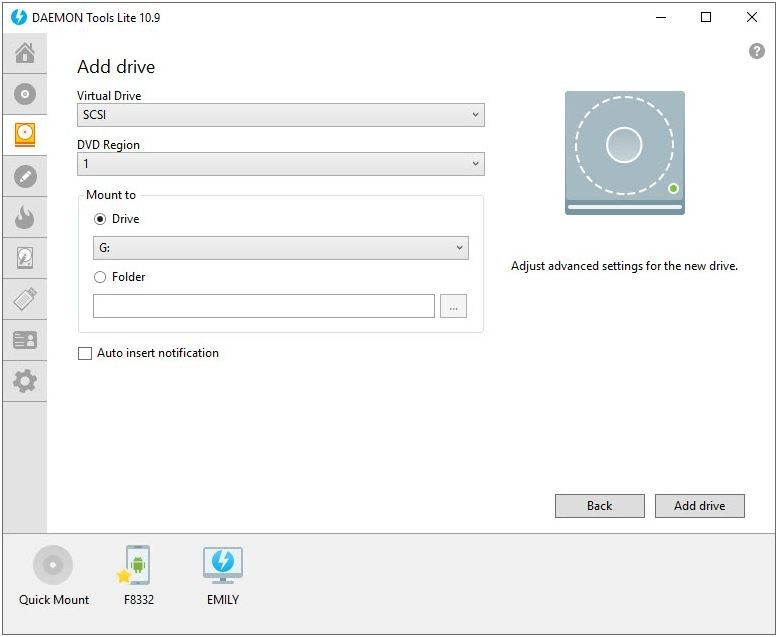
Usage is fast. Mounting images happens instantly. Emulation remains stable. Create as many virtual drives as you need. They appear as physical optical drives. Select an image from Explorer. Or use the app interface. The mount is immediate.
Cataloging tools help manage libraries. Keep ISO, DVD, or Blu-ray files organized. Updates happen automatically. The software ensures compatibility with new OS versions. It protects your data. If you need an older version, access is available. Specific environments may require legacy software. You can roll back when needed.

If you are mounting ISO files on a modern PC, compatibility is the first hurdle. Daemon Tools Lite handles Windows 7, 8, 8.1, 10, and 11 without blinking. macOS users aren’t left in the dark either, though the desktop emulators remain the star of the show. Mobile apps exist for Android and iOS, but they are strictly for file sharing and management. You aren’t creating virtual optical drives on your phone. This setup covers the fragmented reality of most users who juggle multiple devices.
The “Lite” version is free. It is free for home use. This openness attracts a massive crowd. There are strings attached, though. Advanced features like burning discs, creating protected virtual disks, or handling encrypted volumes require a paid license. You can buy a lifetime license for a one-time fee or subscribe periodically.
Why does this pricing structure exist? It bridges the gap between casual users who just need to mount an image and professionals who need robust data management. Students and schools sometimes get preferential rates. You have to check with the publisher directly for those deals.
Which Daemon Tools Lite Alternatives Actually Work?
You don’t have to stick with Daemon Tools if you want something different. The market is crowded with options. Virtual CloneDrive, PowerISO, and WinCDEmu all offer similar disk mounting capabilities. Each has its own learning curve and specific quirks.
Daemon Tools Lite wins on stability in recent Windows environments and broad format support. But is that worth it? Maybe not if you hate ads. Or if you prefer open-source code. Alternatives often prioritize simplicity or transparency over feature bloat.
Daemon Tools Lite retains the advantage of abundant documentation, a large user community, and decades of experience in virtual image management.
That legacy matters. When things break, you want a community that has seen it all. That reliability keeps it relevant despite the shiny new toys on the block.
How to Secure and Update Your Installation
You don’t need to be a sysadmin to use this software. Basic familiarity is enough. But guidance helps. The web is littered with tutorials. They cover installation, virtual drive configuration, and troubleshooting common errors. Some training organizations even offer workshops on disk image management. This places Daemon Tools Lite within the broader context of data virtualization and security.
Support is available through a FAQ, a community forum, and direct assistance for complex cases. Beginners and experts alike can find answers quickly. The questions usually revolve around hardware compatibility, license activation, or performance optimization.
Keeping the software updated is non-negotiable. Updates patch security holes. They add features. They ensure compatibility with the latest OS versions. The update process is automated. You can also force a version check or manually download older editions if you have specific legacy needs.
Security remains a valid concern. You must download from reliable sources. Unofficial sites bundle malware. Daemon Tools adapts its security protocols regularly to counter evolving threats. Features like password-protected images and antivirus compatibility add layers of protection. In both professional and personal contexts, it serves as a reliable ally for managing and sharing digital content securely.

How Daemon Tools Lite Mounts Disc Images Without the Drive
Let’s look under the hood before you even click download. This isn’t just magic software. It’s a utility that mimics physical optical drives. Think of it as a bridge between your hard drive and the old-school media you might still need to access. Whether you’re mounting an ISO backup or installing legacy software without a physical CD, the scope remains tight. The functionality doesn’t drift. It stays consistent.
The interface supports multiple languages. Yes, including French. There’s no steep learning curve either. No complex hardware prerequisites. You don’t need a dedicated server. A standard desktop or laptop works fine. The core value lies in its freemium model. It’s free for personal use. Advanced modules cost money. But for most users, the free tier covers the basics.
Supported Formats and Virtual Drive Creation
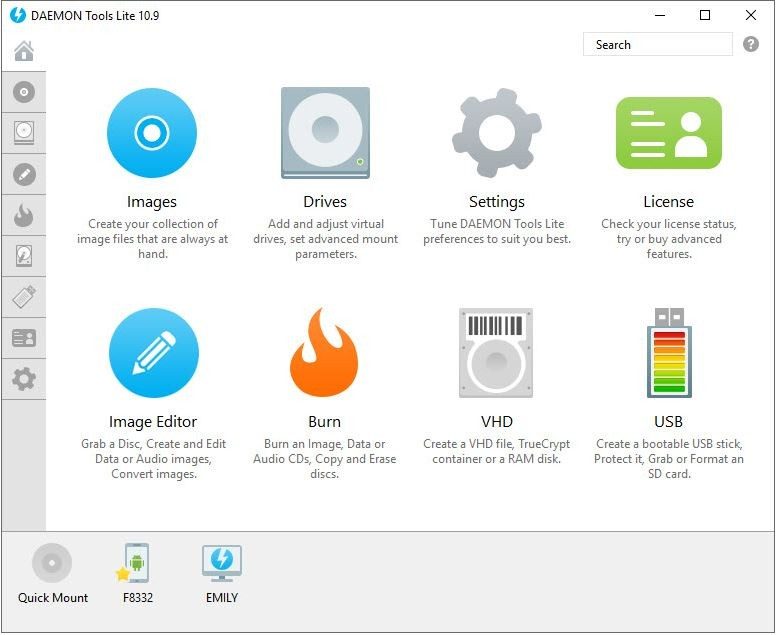
What happens when you drop a disc image onto the system? Daemon Tools Lite handles the heavy lifting. It creates virtual CD, DVD, and Blu-ray drives. You get multiple instances if needed. The software parses common image formats directly.
Here is what the system actually supports:
- ISO files
- CUE/BIN pairs
- MDS/MDF formats
- NRG files
- IMG extensions
- CCD images
And other equivalents. If your archive uses standard optical formats, it will likely mount. The tool also extracts images from physical media. You can rip your own CDs or DVDs into these standardized containers. This integration happens at a system level. Right-click context menus appear automatically. File associations link directly to the emulator. One-click mounting is the norm now.
Security and Offline Usage
Data safety matters. The software handles password-protected images. It plays well with antivirus programs. There are no hidden conflicts that trigger false positives. You can run it alongside your security suite without worry.
Internet connection? It’s not required for local mounting. You can work completely offline. This is crucial for air-gapped machines or unstable connections. When you do go online, it’s for activation or updates. The installer itself is clean. Downloading from reliable sources ensures you get a secure experience from day one.
System Compatibility and Architecture
Which Windows versions work? The list is broad. Windows 7 through 11 are all supported. It covers both 32-bit and 64-bit architectures. macOS is also in the mix. There are companion apps for Android and iOS too. This cross-platform availability means your disc images aren’t stuck on one machine.
The requirements are minimal. No specific hardware upgrades needed. Standard processors and RAM are sufficient. The integration is clean. It doesn’t bloat your system tray or slow down boot times. It sits quietly until called upon.
Why This Still Matters
We live in a cloud era. Physical discs are rare. Yet. The need to access old game installers, archived data, or licensed software persists. Virtual drives fill that gap. They remove the wear and tear on physical hardware. They allow for instant access without swapping media.
Daemon Tools Lite offers a straightforward solution. It’s not the most feature-rich suite out there. But for pure emulation? It holds its ground. The freemium model keeps it accessible. The compatibility list ensures it runs where you need it to.
The ecosystem of virtual utilities continues to evolve. New formats emerge. Older ones fade. But the core function remains unchanged. Mount an image. Read the data. Close the drive. Simple. Effective.
What happens when the next Windows update breaks compatibility? That’s a risk for all emulation tools. But for now, the stability is there. The integration is solid. And the ability to work offline adds a layer of security that many cloud-based solutions lack.
It’s a small tool. It does one thing well. Sometimes that’s enough.


The Hidden Cost of Legacy Infrastructure
You are not paying for the software. You are paying to keep the lights on in a building that should have been demolished years ago.
Most enterprises think their problem is licensing. It isn’t. Their problem is technical debt. It is the accumulated interest on shortcuts taken during the first cloud migration wave. Ten years ago, companies moved their data to AWS or Azure to save money. They didn’t refactor the code. They just lifted and shifted.
Now, they are running legacy monoliths on cloud infrastructure. The bill is skyrocketing. The engineers are exhausted. The security team is sleepwalking.
This is not a temporary glitch. It is the inevitable result of treating infrastructure as a commodity instead of a foundation. When you treat servers as disposable but code as permanent, you get a system that is expensive, brittle, and slow to change.
Why Refactoring Beats Rehosting
There is a common misconception that moving to the cloud is the finish line. It is just the starting block.
If you simply copy your on-premise SQL database to a managed service like Azure SQL or Amazon RDS, you are still bound by the limitations of that old architecture. You are still writing SQL queries that assume a slow, local network. You are still locking records for seconds at a time.
Refactoring means rewriting the application logic to use the cloud’s strengths. It means moving from synchronous calls to asynchronous messaging. It means breaking a single massive application into smaller, independent services.
The upfront cost is higher. The time to market is longer. But the long-term operational cost drops by up to 40%. Why? Because you stop paying for idle capacity. You stop paying for patches that fix bugs you introduced three years ago.
The Security Illusion of Shared Responsibility
Cloud providers sell security as a feature. “We handle the physical security,” they say. “You handle the configuration.”
This shared responsibility model is where most breaches happen. It is not because the cloud provider is negligent. It is because enterprise teams are overwhelmed. They are managing thousands of microservices, each with its own dependency chain.
A single misconfigured S3 bucket. A single open port in a security group. These are not “hacks” in the Hollywood sense. They are administrative oversights. And they are becoming more common as IT teams stretch thinner.
The solution is not more vigilance. It is less surface area. Automated compliance checks. Immutable infrastructure. If you cannot provision it via code, you should not be running it. This removes human error from the equation. It shifts security from a manual process to an architectural constraint.
The Human Element of Tech Debt
We often talk about tech debt in terms of dollars and lines of code. But the real cost is in the team’s morale.
When developers know their code will rot in six months because the architecture cannot support it, they stop innovating. They write patches. They create workarounds. They become technicians, not engineers.
This attrition is expensive. Replacing a senior cloud architect costs more than a year of cloud spend. Retaining them requires giving them a system that respects their intelligence. A system that scales. A system that does not crash during peak traffic.
The shift to cloud-native is not just a technical upgrade. It is a cultural reset. It forces teams to collaborate across boundaries. DevOps is